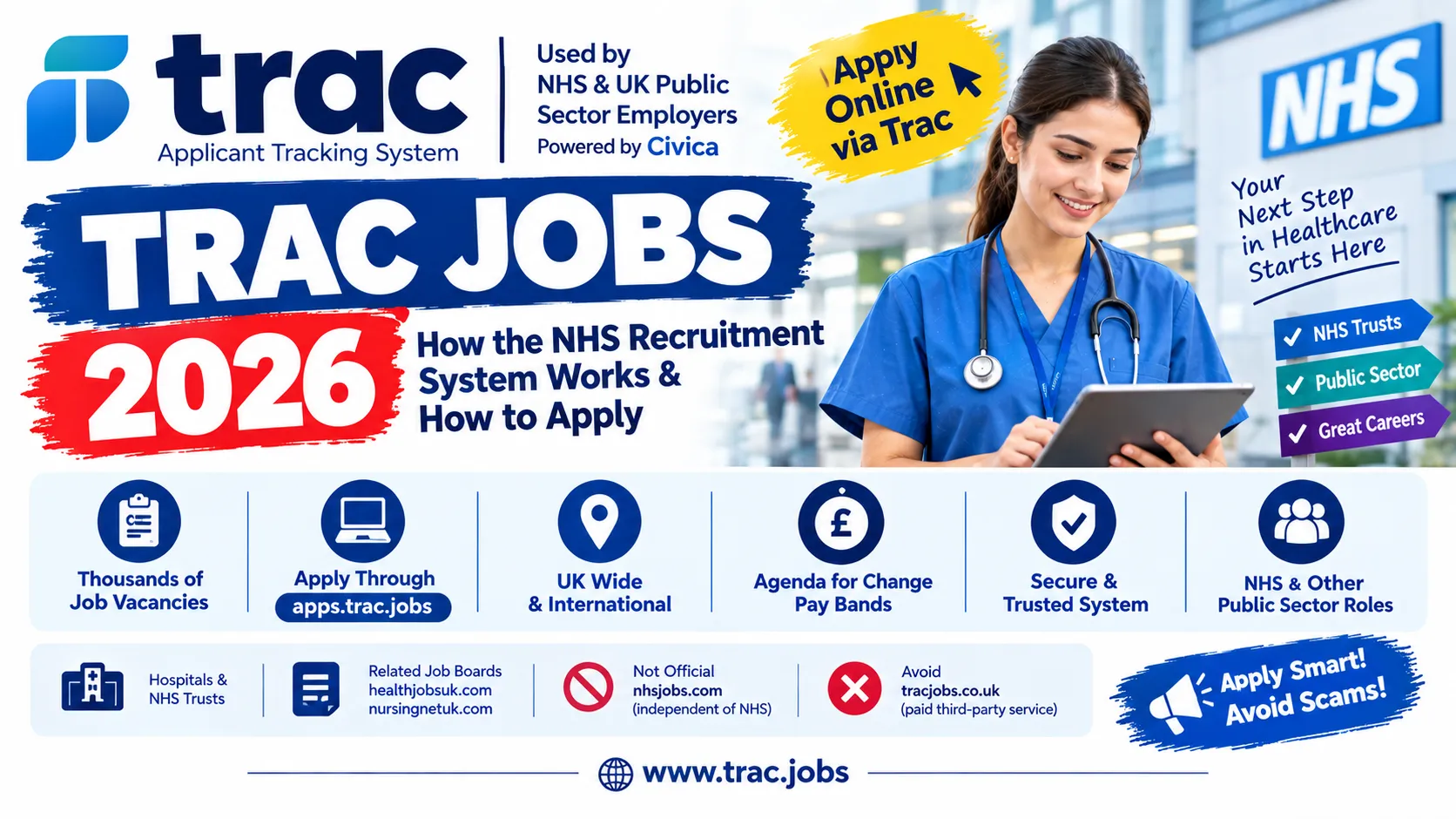

Trac jobs refers to NHS and wider UK public sector vacancies advertised and processed through Trac, the applicant tracking system operated by Civica UK Ltd. This matters to job seekers because most people applying for an NHS role today will, at some point, be redirected from a general jobs listing into the Trac system to complete their actual application — understanding how Trac works, and which related sites are genuine versus unaffiliated, avoids wasted time and unnecessary spending.
Quick Facts
| Detail | Information |
|---|---|
| What it is | The applicant tracking system (ATS) used by most NHS Trusts and other UK public sector employers to manage recruitment |
| Operator | Civica UK Ltd |
| Post/Vacancies | Thousands of individual NHS and public sector listings at any given time — no single fixed number, since each Trust/employer posts separately |
| Location coverage | UK-wide — every NHS Trust and Foundation Trust using Trac, plus other public sector bodies |
| Pay framework (NHS roles) | Most NHS roles follow Agenda for Change (AfC) pay bands, from Band 2 (entry-level support roles) through Band 8a and above (senior clinical/management roles) |
| Application Method | Online, via the official candidate portal |
| Official Candidate Portal | apps.trac.jobs |
| Related sister job boards (also run by the same family) | healthjobsuk.com, nursingnetuk.com |
| Unaffiliated site sharing similar branding | nhsjobs.com — explicitly states it is independent of the NHS |
| Unofficial third-party paid help | tracjobs.co.uk and similar sites offering paid CV/application writing help — not run by Civica or the NHS |
Important: Because Trac hosts vacancies from many separate NHS Trusts and public sector employers, eligibility, pay band, and closing dates are set individually by each employer for their specific listing — Trac itself is only the system processing the application, not the employer.
What Is Trac?
Trac is the recruitment software platform used to advertise vacancies, collect applications, shortlist candidates, and manage the recruitment process — including booking interviews and running employment checks — for a large share of the UK’s public sector workforce, most visibly NHS Trusts and Foundation Trusts. It’s operated by Civica UK Ltd, a software company, not a government department or the NHS itself.
In practice, many people encounter Trac indirectly: a vacancy might first appear on a general listing site or an NHS Trust’s own website, but clicking “Apply” typically redirects you into the Trac system (apps.trac.jobs) to actually complete and submit your application. This has led to genuine confusion, since candidates are sometimes unexpectedly “handed off” from one site to another mid-application.
Trac’s operator also runs a small family of related job boards — healthjobsuk.com (health sector jobs) and nursingnetuk.com (nursing career information and vacancies) — which are part of the same operation, distinct from the separately-run nhsjobs.com, which is not affiliated with the NHS despite the similar name.
Understanding NHS Pay Bands (Agenda for Change)
Most roles advertised through Trac for NHS Trusts follow the Agenda for Change (AfC) pay structure, which groups roles into numbered bands reflecting responsibility and skill level:
| Band (illustrative) | Typical Role Level |
|---|---|
| Band 2 | Entry-level support roles (e.g., Receptionist) |
| Band 4 | Assistant/support roles requiring some specialist training (e.g., Assistant Psychologist, Champion User/digital support roles) |
| Band 5 | Newly qualified registered professionals (e.g., Registered Nurse) |
| Band 6–7 | Experienced/specialist clinical or management roles |
| Band 8a and above | Senior clinical, specialist, or management roles (e.g., Lead Radiographer) |
Important: These are illustrative examples based on recent live listings, not a fixed pay table — exact pay for a specific band changes periodically and should be confirmed against current NHS Agenda for Change pay scales, not assumed from an old figure.

Eligibility Criteria
Because Trac hosts listings from many separate NHS Trusts and other public sector employers, there is no single eligibility standard. General patterns include:
- Professional registration (e.g., NMC for nurses, HCPC for allied health professionals) is required for most clinical roles
- Right to work in the UK is a standard requirement for all UK employment
- Enhanced DBS (Disclosure and Barring Service) checks are standard for most NHS roles involving patient contact
- Person Specification criteria — each listing has essential and desirable requirements you must evidence directly in your supporting statement to be shortlisted
Important: Always check the specific listing’s Job Description and Person Specification — Trac itself sets none of these requirements; the advertising Trust or employer does.
How Trac Applications Actually Work
- A vacancy is advertised by an NHS Trust or public sector employer, often appearing first on a general job listing site.
- Clicking “Apply” redirects you to apps.trac.jobs, where you create an account (or log in) to complete the actual application form.
- You complete a structured application, typically including a supporting statement where you must address each essential and desirable criterion in the Person Specification — this is the single biggest factor in whether you get shortlisted.
- The employing Trust reviews and scores applications within Trac.
- Shortlisted candidates are invited to interview, with booking often managed directly through your Trac account.
- Successful candidates go through pre-employment checks (references, DBS, occupational health, right-to-work) — also tracked through the Trac system.
How to Apply Online
- Find a vacancy through an NHS Trust’s own site, a job board like healthjobsuk.com, or a general search — many will link directly into Trac.
- When you click “Apply,” you’ll typically be taken to apps.trac.jobs.
- Register for an account if you don’t have one, or log in if you’ve applied through Trac before (your account carries across different employers using the system).
- Complete the application form, paying particular attention to the supporting statement — address every essential and desirable criterion in the Person Specification explicitly, with concrete examples.
- Submit before the listing’s specific closing date.
- Track your application status, book interviews, and manage pre-employment checks directly through your Trac account.
Important: If you’re redirected mid-application from nhsjobs.com to apps.trac.jobs, this is a normal part of how some listings work — but remember nhsjobs.com itself is not an NHS-run site; the actual application processing happens within Trac.
Required Documents
| Document | Notes |
|---|---|
| CV/employment history | Entered directly into your Trac application form |
| Supporting statement | Your response addressing the Person Specification’s essential/desirable criteria — critical for shortlisting |
| Proof of professional registration | Required for most clinical roles (e.g., NMC, HCPC) |
| Right to work documentation | Standard requirement, checked before employment begins |
| References | Typically required, often covering your most recent employment |
Common Mistakes to Avoid
- Assuming nhsjobs.com is an official NHS site — it explicitly states it is independent of the NHS and the Department of Health.
- Paying a third-party site (like tracjobs.co.uk-style services) for “guaranteed” help getting shortlisted — while some offer legitimate CV/application writing assistance, none of them are affiliated with Civica, the NHS, or Trac itself, and no paid service can guarantee an outcome.
- Writing a generic supporting statement instead of directly addressing each essential and desirable criterion in the Person Specification — this is the single most common reason for not being shortlisted.
- Creating multiple Trac accounts with different email addresses — your existing account carries across different NHS Trust applications, so use one consistently.
- Missing the redirect from a general job listing into Trac and thinking your application is complete when it isn’t — the application must be finished within apps.trac.jobs itself.
- Ignoring pay band context — check current Agenda for Change rates for the specific band advertised, rather than relying on an old or unofficial figure.
FAQs
1. What is Trac? Trac is the applicant tracking system operated by Civica UK Ltd, used by most NHS Trusts and other UK public sector employers to advertise vacancies and manage recruitment.
2. Is Trac a government website? No — Trac is run by a private company, Civica UK Ltd, though it processes recruitment for a large share of the public sector, including the NHS.

3. Is nhsjobs.com the official NHS jobs website? No — nhsjobs.com explicitly states on its own pages that it is “independent of the NHS and the Department of Health.”
4. Where do I actually apply for NHS jobs via Trac? At apps.trac.jobs — this is where you create an account and complete your application, even if you found the vacancy elsewhere.
5. Is tracjobs.co.uk an official site? No — it’s an unofficial, third-party paid service offering CV and application writing help; it is not run by Civica, the NHS, or Trac.
6. Do I need to pay to apply for a job through Trac? No — creating an account and applying through apps.trac.jobs is free. Paid “helper” services are optional, unofficial, and not required.
7. What pay bands do NHS jobs on Trac follow? Most follow the Agenda for Change (AfC) structure, from Band 2 (entry-level) through Band 8a and above (senior/specialist roles) — exact current rates should be checked against official NHS pay scales.
8. How many jobs are listed through Trac? This varies continuously, since thousands of individual NHS Trusts and public sector employers post their own vacancies — there’s no single fixed number.

9. What is a “supporting statement” and why does it matter? It’s where you address each essential and desirable criterion in a role’s Person Specification — it’s typically the most important factor in whether your application is shortlisted.
10. Does Trac only cover NHS jobs? No — while NHS Trusts are the most visible users, Trac is used by a range of UK public sector employers.
11. What other job boards are related to Trac? healthjobsuk.com and nursingnetuk.com are run by the same operator; nhsjobs.com is a separate, unaffiliated site.
12. Can my Trac account be used across different NHS Trust applications? Yes — your Trac account carries across different employers using the system, so you don’t need to create a new one for each application.
Final Words
Trac jobs covers NHS and wider UK public sector recruitment processed through the Trac system, operated by Civica UK Ltd — not a government body itself, but the software behind a large share of public sector hiring. The genuinely useful thing to remember is the distinction between the real candidate portal (apps.trac.jobs), the unaffiliated nhsjobs.com, and unofficial paid “helper” sites like tracjobs.co.uk. For applying to a real, current NHS or public sector vacancy, go to the official source: apps.trac.jobs.

Iqra Rasheed
 Verified Author
is a Jobs & Career Content Specialist at freejobspk.com, providing clear and source-based information about government jobs, recruitment updates, eligibility, deadlines, and application procedures in Pakistan.